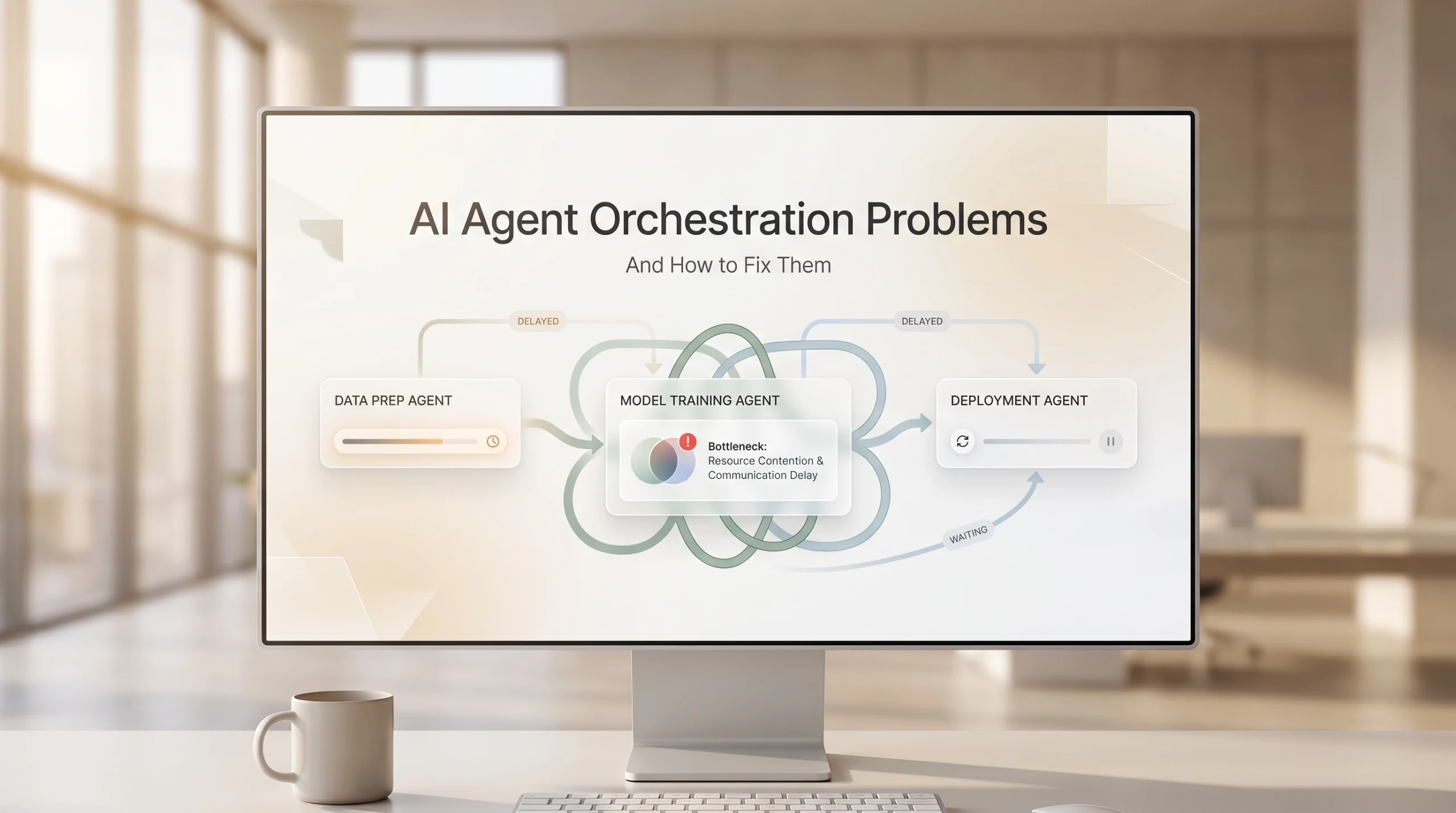
Optimize AI agent systems for real production that boost inference speed, reduce memory costs, improve tool calls, and fix orchestration bottlenecks for maximum performance and efficiency.
Table of Contents
Intro
Most AI agent systems work fine when you use them as a demo. After the implementation of these AI agents in the real-world production system, multiple problems started to appear in the system.
Latency spikes.
Costs grow faster than output quality.
Agents start waiting on each other, context windows bloat, and what was once a clean pipeline turns into an unpredictable bottleneck.
Here is the main thing that most teams blame on the AI agents is basically the “model”, but in practice, the model is rarely the main problem. The real issues are usually hiding behind these things, such as:
In the orchestration logic
Memory management
Tool-call chains, and
How agents are sequenced
This guide will give you a complete layer-by-layer framework to diagnose and fix performance in the AI agent systems, whether you are running a single reasoning agent or coordinating dozens of agents with each other in parallel.
Here, there is no generic infrastructure advice, no surface-level tips; we will discuss those things that actually work in the real-world production system for you.
Quick Answer about Optimize AI Agent Systems
AI agent system performance optimization means the process of improving speed, efficiency, and cost-effectiveness across orchestrated agent workflows, without degrading the quality of the output.
First identify your bottleneck layer:inference, memory, tool calls, or orchestration
Reduce unnecessaryLLM calls, context bloat, and sequential tool-call chains
Optimize orchestration logic before adding in the infrastructure
How to Optimize AI Agent Systems for Inference, Memory, and Tool-Call Efficiency
Why Performance Degrades in AI Agent Systems (And Why It’s Usually Not the Model)
The most expensive mistake which all teams make during the optimization process is about “fixing the wrong layer” in the system of AI agents.
A slow agent pipeline can feel like a model problem, but if you measure it closely, you will see that the time it takes for the model to start responding is usually quick. However, the overall time to complete the task is what takes longer. This difference shows that the problem is not with the model’s ability to make predictions, but the issue lies in everything in the surrounding of it.
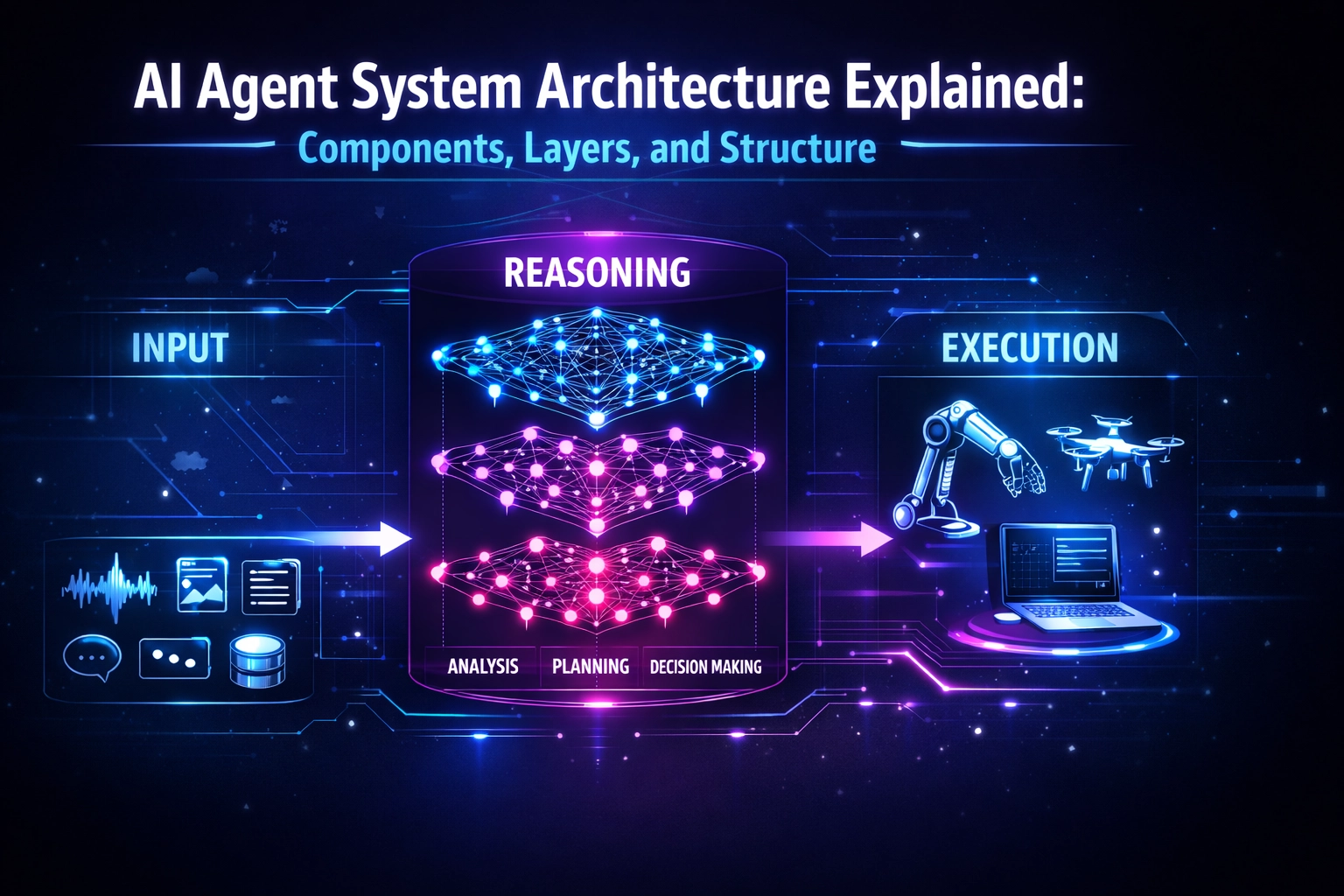
In production systems, performance breaks down across four distinct layers:
Inference layer: LLM call speed, token generation, model size
Memory layer: Context accumulation, retrieval latency, irrelevant history
Tool-call layer: API round-trips, function execution, sequential vs. parallel calls
Orchestration layer: Agent sequencing, coordination overhead, wait time between agents
AI agent system layers for optimization
How to Identify Your Bottleneck Before Touching Anything
Before the optimization of AI agent system, first measure the performance of the system, this sounds is obvious, but most teams skip it.
Run these two checks first:
Compare TTFT to total task time. If TTFT (Time to First Token) is fast but total time is slow, your bottleneck (slowing down) is in the tool-call or orchestration layer, not in the inference.
Log tool-call duration separately from LLM duration. In most agent systems, tool calls account for 40–70% of total latency. Yet most teams never measure them independently.
A common failure pattern is that “teams spending weeks in fine-tuning model prompts while a sequential tool chain, which could run in parallel, is adding 4 time the latency of the model itself”.
Decision rule:
If TTFT is slow → focus on inference.
If total time is slow but TTFT is fast → focus on orchestration and tool calls.
Inference-Layer Optimization: Getting More Speed from Every LLM Call
The fastest inference optimization in the AI-agent systems is not the hardware, but it is only a model selection best model will give you best result.
By default, or naturally most teams pick or choose the most powerful model for every task. This sound like that they are hiring a senior architect to format a spreadsheet which is slow, expensive, and unnecessary.
Match Model Capability to Task Complexity
Not every step in an agent pipeline needs a frontier model. Here is a practical breakdown which is given below:
Use smaller, faster models for routing decisions, classification, formatting, and data extraction
Reserve frontier models(GPT-4o, Claude Sonnet 4.5, Gemini 1.5 Pro) for multi-step reasoning, synthesis, and judgment calls
If the task is structured and predictable → a smaller model will outperform a larger one on speed and cost without meaningful quality loss
Teams using LangGraph or AutoGen often complete 60–70% of their agent tasks on smaller models. They do this after checking which tasks really need deep reasoning. This change immediately reduces latency.
Control Your Token Budget
Every unneeded token adds latency and cost. A few rules that production teams use:
Set clear limits on the maximum number of tokens for each agent call. Uncontrolled responses can increase both waiting time and costs, too.
Cut down on system prompts. Each additional 1,000 tokens adds noticeable delays when scaled up.
Use structured output formats like JSON. This reduces the number of tokens used in lengthy freeform responses.
Streaming vs. Batch: Pick the Right Mode
Streaming reduces perceived latency for user-facing agents but adds orchestration complexity
Batch inference is better for background, non-interactive agents; it has higher throughput, lower cost
Context window accumulation is the silent performance killer in long-running agent systems.
Here is what happens:
Each agent’s turn carries more history than the last.
By turn 10, you are injecting 8,000 tokens of context into a call that only needs 400.
The model slows down, costs multiply, and often, the extra context actively hurts reasoning quality by burying relevant information.
Three Memory Antipatterns That Destroy Performance
1. Full-history injection Passing the entire conversation history on every turn. This is the most common memory mistake and the easiest to fix.
2. Unfiltered retrieval RAG pipelines that retrieve 20 chunks when 3 are relevant. More retrieved context ≠ better answers. It just means slower, more expensive calls with noisier reasoning.
3. Cross-agent memory pollution Sub-agents receive the global state when they only need a narrow slice relevant to their task. Every irrelevant token is wasted compute.
What High-Performance Teams Do Instead
Sliding window memory: Keep only the last N turns in the working context. Archive older turns to long-term storage and retrieve them only when explicitly needed.
Hierarchical summarization: Compress completed task segments into a summary node before passing context to the next agent. This preserves key decisions without dragging the full history forward.
Selective context injection: Each agent gets only the memory slice relevant to its role. Not global state. Not the full thread.
Prompt caching: Both Anthropic and OpenAI support caching static system prompt segments. For agents with long, reusable system prompts, this alone can cut per-call cost by 30–50%.
A Contrarian Insight Most Teams Miss
More memory doesn’t always mean better performance, it often means worse than the normal.
Teams assume that giving agents access to more history makes them smarter. In practice, oversaturated context causes models to lose focus, repeat conclusions, and miss the actual task. Leaner context windows frequently produce faster and higher-quality outputs.
The real issue is that memory feels “safe” to add and risky to remove. But in most production systems, trimming context is one of the highest-ROI optimizations available.
Tool-Call Optimization: Fixing the Layer Most Teams Completely Ignore
If there’s one section in this guide you should read twice, it’s this one.
Tool calls are where most agent latency actually lives. Yet most optimization guides dedicate one paragraph to caching and move on. That’s a mistake.
Sequential vs. Parallel Tool Execution
Default agent behavior in most frameworks is sequential: call Tool A, wait for result, call Tool B, wait for result, call Tool C.
If those tools are independent, if Tool B doesn’t need Tool A’s output so you just paid 3x the latency for no reason.
Example: An agent that fetches calendar availability, checks email threads, and queries a database can run all three calls simultaneously. Instead of 3 seconds (sequential), it takes 1 second (parallel). That’s not a minor improvement — it’s a fundamental architectural change.
LangGraph, CrewAI, and AutoGen all support parallel tool execution. It’s rarely enabled by default. You have to configure it explicitly.
Decision rule: If tools are independent → execute in parallel. Always.
Tool Result Caching
Many tool calls return the same result multiple times within a single agent session. Database lookups. Static API responses. Configuration reads.
Cache them.
A shared tool-result cache across agents in a multi-agent system yields compounding speed gains. Set TTL-based invalidation policies appropriate to how frequently the underlying data changes. In production systems with high-frequency agent invocations, this can reduce tool-call volume by 30–40%.
Design Tool Interfaces for Performance
This one is often overlooked during initial development:
Return only the fields an agent needs — not full API payloads. A tool that returns 200 fields when the agent uses 5 is wasting both bandwidth and tokens.
Standardize tool response schemas to reduce agent parsing overhead.
Set hard timeout policies on all tool calls. Implement fallback logic rather than letting a slow external API block the entire pipeline.
Orchestration-Layer Optimization: Where Architecture Meets Performance
The orchestration layer is where architectural decisions either multiply or destroy every gain you made at the layers below.
Sequential Pipelines vs. Parallel Execution Graphs
Most agent pipelines are built sequentially because it’s simpler to reason about. But sequential execution means every agent adds its full execution time to wall-clock latency.
The alternative is a DAG (directed acyclic graph) execution model — where agents that don’t depend on each other run simultaneously.
Sequential: Agent A → Agent B → Agent C = sum of all latencies
Parallel DAG: Agent A + Agent B → Agent C = max(A, B) + C
For pipelines with 4–6 agents, this architectural shift alone can cut total execution time by 50–60%.
Tools that support DAG execution include LangGraph, Prefect, Temporal, and custom async orchestration built on Python’s asyncio.
The Coordinator Bottleneck Nobody Talks About
In centralized orchestration setups, a coordinator agent routes every message. This feels elegant at small scale. At larger scale, it becomes a single-threaded bottleneck.
What actually works in production: push routing logic for well-defined task categories to lightweight rule-based routers. Reserve LLM-based routing for genuinely ambiguous cases only.
In practice, teams using LangGraph often discover that their orchestrator LLM is making the same routing decision 80% of the time. Converting that 80% to a deterministic rule-based path cuts orchestration cost dramatically without any quality loss.
Agent Warm-Up and Cold-Start Latency
Stateless agents incur initialization cost on every invocation — model loading, connection setup, context preparation. In serverless deployments (AWS Lambda, Google Cloud Run), cold-start penalties are measurable and can add 500ms–2s to first-call latency.
Keep agent instances warm for high-frequency tasks
Accept cold starts for low-frequency background agents where latency SLOs are relaxed
Factor cold-start cost into SLA design before deployment
Measuring AI Agent Performance: The Metrics That Actually Matter
You cannot optimize what you don’t measure. Most teams track whether the agent completed its task. That’s not enough.
The Core Performance Metrics
Metric
What It Measures
Why It Matters
Time-to-First-Token (TTFT)
LLM responsiveness
User-perceived latency
End-to-End Task Latency
Full pipeline duration
Real-world speed
Token Cost Per Task
Inference efficiency
Direct cost impact
Tool Call Duration (p95)
External dependency health
Bottleneck identification
Memory Retrieval Latency
RAG/memory layer speed
Context injection cost
Agent Retry Rate
Reliability signal
Hidden latency multiplier
One critical point:
Always measure p95 latency, not average latency.
Averages hide outlier spikes.
In production, it’s the p95 cases, the slow tail, that users notice and that SLAs are built around.
Span-Level Observability Is Non-Negotiable
Without span-level tracing, optimization is guesswork.
Each LLM call, each tool call, each memory retrieval should be a traceable span with its own timing data. Tools like LangSmith, Arize Phoenix, Weights & Biases Weave, and Helicone provide agent-aware tracing at this level.
Teams that skip observability tooling typically spend 3x longer debugging performance issues compared to teams that instrument from day one. The setup cost is low. The diagnostic value is enormous.
Setting Realistic SLOs Per Agent Role
Not all agents need the same latency budget.
User-facing agents: Tight SLOs, typically sub-2 second TTFT, sub-5 second end-to-end
Background pipeline agents: Relaxed SLOs — minutes are often acceptable
Batch processing agents: Throughput matters more than individual task latency
Define SLOs per role before optimizing. Without them, you have no way to know when you’re done.
Cost vs. Performance Tradeoffs: What Most Teams Get Wrong
Faster doesn’t always mean cheaper. And cheaper doesn’t always mean better.
The Over-Optimization Trap
There’s a point where each additional optimization yields diminishing returns, and eventually starts degrading output quality.
Aggressive context compression can cause agents to lose reasoning continuity. Routing too many tasks to smaller models creates quality failures that trigger retry loops, which cost more than the original inference savings. Over-parallelizing agents with hidden dependencies causes race conditions that are extremely difficult to debug.
Rule of thumb: Optimize until your p95 latency meets your SLO. Stop before you start trading output quality for speed.
Enterprise vs. Startup Optimization Priorities
Different organizations face different cost-performance pressures:
Startups should prioritize cost-per-task first. Engineering resources are limited. Optimize the highest-cost operations first, usually LLM call volume and token count per task. Accept higher latency on non-user-facing agents.
Enterprises should prioritize reliability and p95 latency SLOs. User trust is the primary asset. Cost is tracked and important but secondary. At enterprise scale, a 10% reduction in tokens-per-task at 1 million calls per day represents a significant budget line, but only if reliability is maintained.
When NOT to Optimize
This is the insight most guides skip entirely.
Don’t optimize background agents that run non-critical tasks with no user-facing latency impact. Engineering cost will exceed operational savings.
Don’t compress memory for agents that require full reasoning chains. Summarization loses nuance. The resulting quality degradation causes downstream errors that cost more to fix.
Don’t parallelize agents with strong sequential dependencies. The coordination overhead and debugging cost of race conditions outweighs the latency you’d save.
The real issue is that optimization feels productive. In practice, premature or misdirected optimization is one of the most common sources of production instability in agent systems.
A Practical Decision Framework for Optimizing AI Agent Systems
Rather than applying optimization techniques at random, use this layered decision process.
Step 1: Measure Before You Touch Anything
Enable span-level tracing. Collect at least 100 real production traces. Identify the top 3 slowest spans by p95 latency.
Step 2: Identify Your Bottleneck Layer
TTFT slow, total time slow → Inference layer problem → optimize model selection and token budget
TTFT fast, total time slow → Tool-call or orchestration problem → check for sequential tool chains and agent wait times
Memory retrieval is slow → Memory layer problem → reduce context size and tune retrieval parameters
Agents are waiting on each other → Orchestration problem → map dependencies and parallelize where possible
Step 3: Apply Targeted Fixes in Order
Fix the highest-impact bottleneck first. Measure again. Confirm improvement before moving to the next layer.
A common failure pattern here is teams applying multiple optimizations simultaneously and then having no idea which one actually worked — or which one introduced a new problem.
Step 4: Validate Against Your SLO
Once p95 latency meets your defined SLO, stop active optimization. Shift to monitoring and alerting to catch regressions.
Decision shortcut: If you don’t know which layer to fix, start with tool-call parallelism. It has the highest average ROI with the lowest quality risk of any optimization in this guide.
FAQ
What is performance optimization in AI agent systems?
Performance optimization in AI agent systems means improving execution speed, reliability, and cost-efficiency across orchestrated agent workflows. => Reduces latency across inference, memory, tool-call, and orchestration layers => Minimizes unnecessary LLM calls and token waste => Helps systems scale without excessive infrastructure costs
Why do AI agent systems become slow over time?
AI agent systems slow down because orchestration complexity and context accumulation grow faster than infrastructure catches up. => More agents create more coordination overhead and inter-agent wait time => Memory accumulation increases context-processing cost per turn => Sequential tool chains compound latency across every task execution
What is the biggest hidden bottleneck in multi-agent systems?
The biggest hidden bottleneck is usually sequential tool-call execution, not model inference speed. => Tools called one at a time multiply latency even when calls are independent => Most frameworks default to sequential execution — parallelism must be configured explicitly => Logging tool-call duration separately from LLM duration reveals this quickly
How can teams reduce AI agent inference costs?
Reduce inference costs by minimizing unnecessary LLM calls and matching model size to task complexity. => Use smaller models for routing, classification, and structured extraction tasks => Cache deterministic tool results and static prompt segments => Trim context windows — remove irrelevant history before each agent call
Should every AI agent system use autonomous agents?
No. Fully autonomous agents are not always the right choice for performance-sensitive systems. => Autonomous workflows increase unpredictability and coordination overhead => Structured, deterministic workflows are faster and cheaper for well-defined tasks => Use autonomy only where the task genuinely requires open-ended reasoning
What metrics matter most for AI agent optimization?
The most important metrics are p95 end-to-end task latency, token cost per task, tool-call duration, and agent retry rate. => Average latency hides production outliers, always use p95 => Retry rate reveals hidden reliability failures that multiply effective latency => Track metrics per agent role, not just for the pipeline as a whole
Why do some optimized systems still fail in production?
Some systems fail because teams optimize individual components without measuring the full workflow. => Local improvements can create new bottlenecks elsewhere in the pipeline => Optimizations applied without observability leave root causes undetected => Missing SLO definitions mean teams don’t know when optimization is “done”
Conclusion
Performance in AI agent systems is not a hardware problem. It’s an architectural and measurement discipline.
The teams that improve performance fastest aren’t the ones applying the most techniques. They’re the ones who correctly identify which layer is actually degrading and apply targeted fixes there, not everywhere at once.
Three principles to carry into production:
Measure first. Span-level tracing is not optional. Without it, optimization is guesswork and you’ll likely fix the wrong thing.
Optimize the right layer. The gap between TTFT and total task latency tells you immediately whether your problem is inference or orchestration. Don’t skip this diagnostic step.
Stop at your SLO. Over-optimization is a real failure mode. Quality regressions from over-compressed memory or misrouted tasks often cost more to fix than the latency you saved.
The difference between an agent system that works in a demo and one that works reliably in production is rarely the model. It’s the architecture, observability, and optimization discipline built around it.